
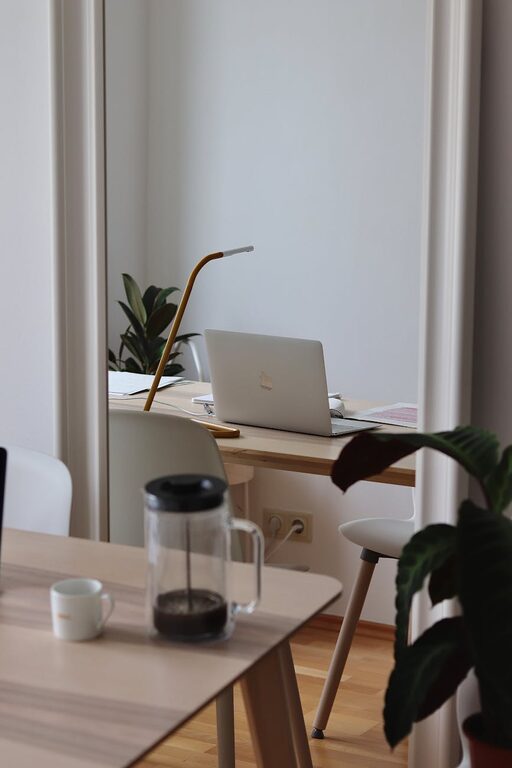
Creating a home workspace that is both clutter-free and productive can greatly impact how effectively you work from home. Whether you’re juggling remote tasks, studying, or managing a side project, an organised space helps improve focus, reduce stress, and boost motivation.
In this post, we’ll explore practical tips and strategies to help you organise your home workspace. These ideas are simple to implement, ensuring your work area supports your daily productivity and well-being.
Why Organising Your Workspace Matters
A tidy and well-arranged workspace isn’t just about aesthetics. It plays a vital role in how you perform and feel during your workday.
– Improves focus: A cluttered environment can distract your mind. Clearing unnecessary items helps you concentrate on your tasks.
– Saves time: Knowing where everything is reduces wasted time searching for tools, paperwork, or devices.
– Boosts motivation: A neat workspace can encourage you to start your workday with a positive mindset.
– Enhances comfort: An organised desk layout enhances ergonomics and makes it easier to maintain good posture.
Keeping these benefits in mind, let’s move on to practical tips.
Step 1: Choose the Right Location
Selecting the ideal spot for your home workspace sets the foundation for organisation and productivity.
– Natural light: Aim for a space with good natural light to reduce eye strain and uplift your mood.
– Quiet environment: Find a calm area away from high-traffic or noisy zones in your home.
– Sufficient space: Ensure there’s enough room for your desk, chair, and any additional equipment you might need.
– Accessibility: Choose a location close to power outlets and internet connections.
If space is limited, consider using a fold-away desk or a dedicated corner in a common room.
Step 2: Declutter Regularly
Keeping clutter at bay requires commitment but offers significant rewards.
– Clear surfaces: Start by clearing your desk surface of all non-essential items daily.
– Sort paperwork: Use a filing system or digital tools to manage documents. Reduce physical paperwork as much as possible.
– Limit decorations: Personal touches are nice but avoid overdoing it. Stick to one or two meaningful items.
– Use daily inbox: Set up an “inbox” tray for papers that need action. Empty it regularly.
A weekly review can prevent clutter buildup and keep your workspace inviting.
Step 3: Invest in Organisational Tools
Using the right storage and organisation tools can make a huge difference.
– Desk trays and organisers: Use these for pens, paper clips, and stationery, keeping items within easy reach.
– Drawer dividers: Separate small items in drawers to reduce mess.
– Shelving units: Install shelves above or near your desk for books, files, or storage boxes.
– Cable management: Use clips, sleeves, or boxes to keep cords tidy and prevent tangles.
– Label everything: Clearly label drawers and boxes to find items quickly.
Choose tools that suit your style and available space without overcrowding.
Step 4: Maintain a Digital Tidy-up
A cluttered digital workspace can be as distracting as a physical one.
– Organise files: Create folders and subfolders for work documents, naming files clearly.
– Use cloud storage: Store files online for easy access and backup.
– Limit desktop icons: Keep only frequently used shortcuts on your desktop.
– Clean inbox: Regularly archive or delete old emails to avoid overload.
– Use productivity apps: Tools like task managers or calendars keep you organised and on schedule.
Digital order complements your physical workspace for overall efficiency.
Step 5: Prioritise Ergonomics and Comfort
A comfortable setup encourages longer, more productive work sessions.
– Choose a supportive chair: Invest in an adjustable chair that supports your back.
– Position your screen: The top of your monitor should be at eye level to avoid neck strain.
– Keyboard and mouse placement: Keep them at a height that allows your wrists to remain neutral.
– Lighting: Add a desk lamp with adjustable brightness for darker hours.
– Take breaks: Remember to stand, stretch, or move periodically to stay refreshed.
Comfort and organisation together foster a productive environment.
Step 6: Create Routines and Boundaries
Organisation goes beyond physical space; how you manage your time and habits matters too.
– Set working hours: Define clear start and finish times to separate work and home life.
– Daily planning: Begin each day by writing a to-do list or prioritising tasks.
– End-of-day routine: Take five minutes to tidy your workspace before finishing work.
– Minimise distractions: Use noise-cancelling headphones if needed and avoid non-work apps during working time.
These routines support your organised workspace and overall productivity.
Final Thoughts
Organising a clutter-free and productive home workspace doesn’t require a complete redesign. Simple, consistent habits and thoughtful choices about your environment can create an uplifting space that supports your work goals.
Start with your location and decluttering habits, invest in good storage and ergonomic tools, maintain your digital files, and establish routines that encourage focus. Over time, these steps will help transform your home workspace into a calm, efficient hub where work gets done with ease.